Gift Shop in AcademyOcean — Product Update
Gift Shop in AcademyOcean: Turn Learning Progress into Rewards
Points work better when learners know there is a meaningful reward behind them. A learner completes a course, passes an exam, earns a certificate—and then what?
In most academies, progress remains just a number in the learner’s profile. It has no real impact and cannot be exchanged for anything. Rewards, if offered at all, are managed separately through spreadsheets, chats, or informal arrangements.
The Gift Shop changes that. Now, an academy can have its own shop where learners spend the points they earn on physical or digital rewards, while administrators manage the entire process without leaving the platform.
What Is the Gift Shop?
The Gift Shop is a dedicated section in AcademyOcean where companies can create and manage rewards for learners.
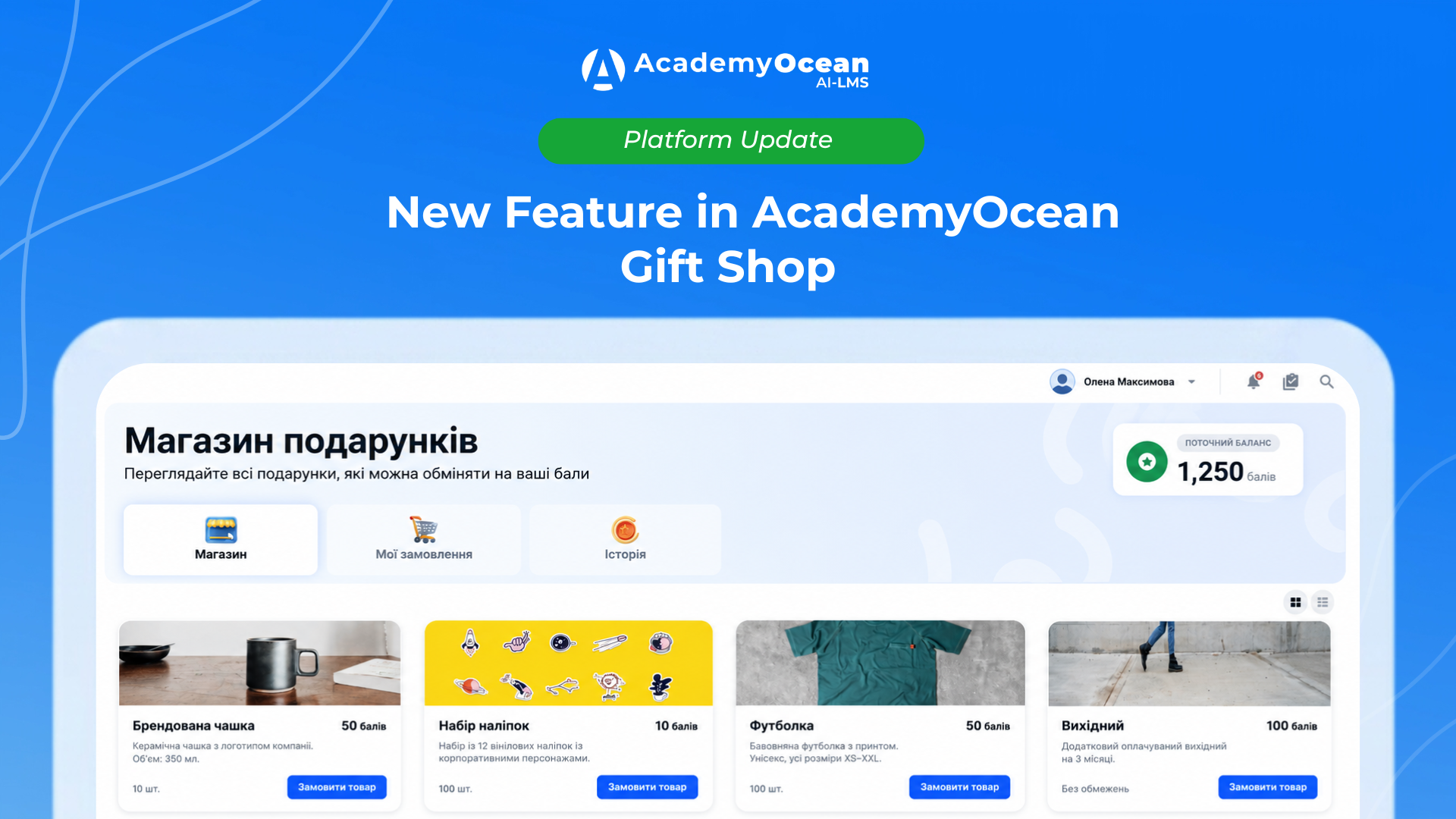
A learner selects an item and places an order. Items can be physical, such as branded merchandise, books, or electronics, or digital, such as promo codes, access passes, or files. Each item has its own price in points, available quantity, and publication status.

The Gift Shop is connected to learner profiles, academy statistics, and the news feed. New orders, status changes, and items running low are immediately visible without the need for separate spreadsheets or additional communication.
How It Works for Administrators
A new Gift Shop section is available under Content. It includes tabs for managing the catalog, orders, point settings, and shop settings.
In Gifts Catalogue, administrators can see all items available in the academy. The catalog can be viewed by status: all items, published, unpublished, or items that need attention.
For example, when an item’s stock drops to three units or fewer, it receives the Need Attention status. This makes it easy to see when a popular reward is about to run out.
For each catalog item, administrators can see its name, description, image, number of orders, remaining stock, price in points, and date of the latest update. Search, stock filters, pagination, and automatic sorting are also available.

Administrators can clone an item when they need to create a similar one quickly. If an item is no longer needed, it can be deleted. However, if it has active orders with the Pending or In Progress status, the system prevents it from being deleted accidentally.
Item Catalog: Physical and Digital Rewards
When creating an item, an administrator can add its name, description, image, price in points, and available quantity. An item can be either physical or digital. Digital rewards can have an unlimited quantity if they do not have an actual stock limit.
A card preview is also available, allowing administrators to see how the reward will appear to learners.

In the item settings, administrators can determine which learners have access to it, what information must be collected during checkout, and whether learners can leave comments on their orders. Once an item has been created, additional tabs become available with orders and statistics for that specific item.
Order Management Without the Manual Chaos
The separate Orders tab displays all orders placed in the academy.
Orders can be viewed by status: All, Pending, In Progress, Done, or Cancelled. The table displays the item, status, learner’s name, quantity, total price in points, comment, and order date. Administrators can search for orders by item name, learner name, or learner email, as well as filter them by team or learner parameters.

The View button opens a detailed order panel. It includes the order number, creation date and time, item information, contact details, delivery information, and activity log.
Order statuses can be updated manually. If an order is cancelled, the points are returned to the learner and the item quantity is restored. Administrators can also specify a cancellation reason, keeping the order history clear for the entire team.
This is especially useful when rewards are managed by several administrators or an operations team rather than a single person.
Flexible Delivery Settings
The Gift Shop supports different delivery scenarios. For physical items, administrators can configure delivery or self-pickup. Digital rewards have a separate digital delivery option.
Administrators can edit system fields, change labels and placeholders, make fields required, add custom fields, or remove fields they do not need.
For example, an order form for a physical reward can collect the learner’s address, phone number, and delivery comments. For a digital reward, it can request an email address, user ID, or any other information required by the company’s process.
Most importantly, the Gift Shop can be adapted to the company’s business processes instead of forcing the company to fit its processes into a rigid form.
What Learners See
A Gift Shop section appears in the learner’s profile with three tabs: Shop, My Orders, and History. Here, learners can see their current points balance, all available items, and the status of every order—from processing to shipped.
Learners no longer need to contact support to ask about an order because they can track its status themselves. They also always know how many points they have left before placing another order.
Who Is It For?
The Gift Shop is designed for companies that use gamification and want learners to experience their progress rather than simply see it displayed as a number in their profile.
It is useful for companies that are ready to motivate learners with physical or digital rewards. It is especially valuable for HR and L&D teams that need a transparent motivation tool with statistics and activity history instead of separate Google Sheets.
When an academy has a large number of learners, managing rewards manually becomes nearly impossible. The Gift Shop brings this process into the platform.
Conclusion
The Gift Shop closes the gap between what learners earn and what they can do with it. Learners receive clear motivation: progress turns into points, and points turn into meaningful rewards.
The Gift Shop is now available in AcademyOcean. Enable it in your academy and launch a motivation system that truly works.